Baobab Supports
Baobab is a new support engine that lives somewhere between Organic and Snug. Where Organic grows slender branches that end in fine tips, Baobab grows thick trunks that expand into a canopy matching the shape of the support interface.
The name comes from the tree. Broad flat canopy, massively thick trunk. Its nickname, the upside-down tree, fits the way it is built as well: the engine starts at the support interface and works downward, merging canopies into trunks as they descend to the plate, the reverse of how the print grows.
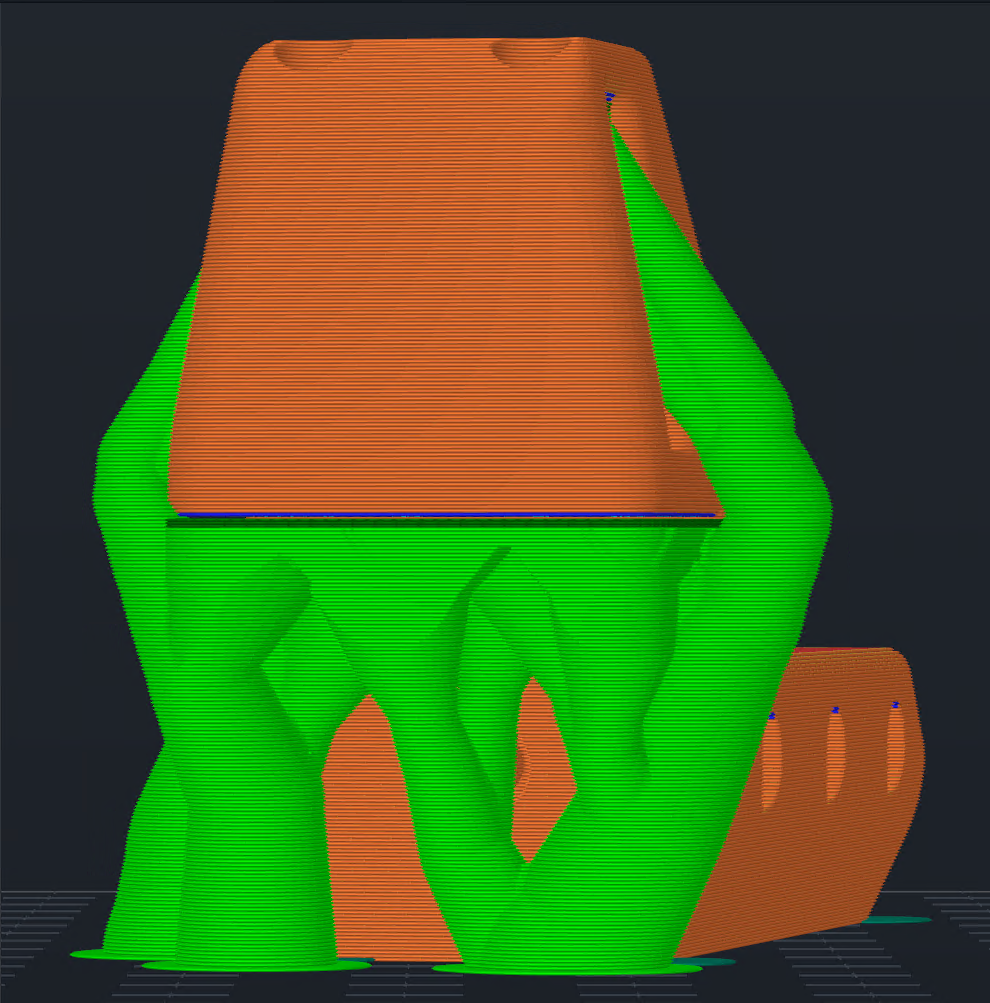
Baobab grows thick trunks that expand into a canopy matching the shape of the support interface.
Comparison at a Glance
The same part, sliced five ways with everything else held constant.
| Support style | Time | Filament | Weight |
|---|---|---|---|
| Baobab (trunks on object) | 38 min | 3.57 m | 8.58 g |
| Baobab | 44 min | 4.15 m | 9.98 g |
| Organic | 49 min | 3.62 m | 8.72 g |
| Snug | 50 min | 6.17 m | 14.85 g |
| Grid | 70 min | 7.52 m | 18.08 g |
On defaults, Baobab is the fastest of the four support styles and uses about 15% more filament than Organic to get there. Plant trunks on object shaves another six minutes and 1.4g off this part, but this only helps on certain objects.
Filled with Lightning
Baobab's structure consists of hollow wall loops. Lightning infill grows inside the canopy where it creates a bridging deck for the support interface. This results in faster print time than the other support styles while keeping enough rigidity to adhere the support interface and keep it flat.
The topmost support layer covers the outline of the support interface above it, checked at polygon level rather than assumed from how the structure was seeded. Tree support engines commonly derive their collision geometry by unioning the object's outlines from below the support through several layers above it, which casts the shape of the object onto the supports. Baobab's shape is specifically a function of the interface outline and the trunks.
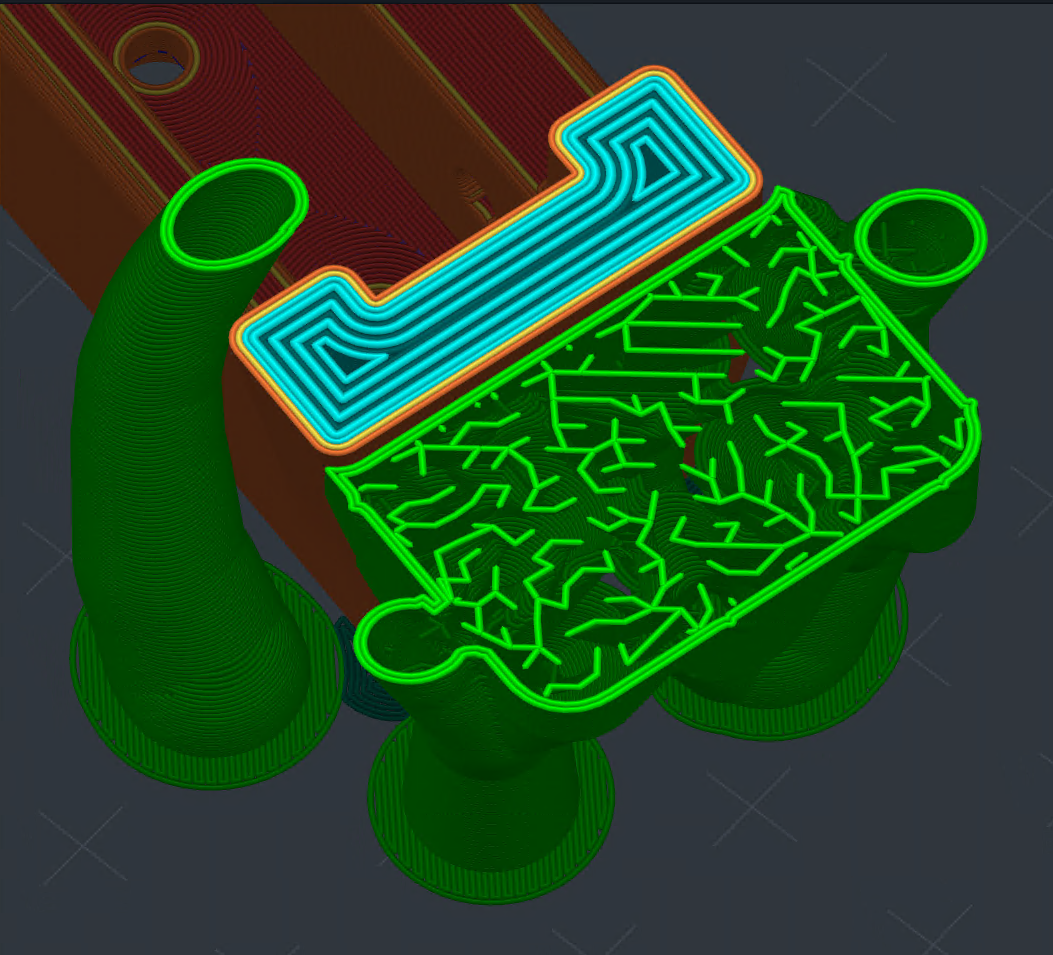
Lightning infill grows inside the canopy where it creates a bridging deck for the support interface, with the canopy rim following the interface outline.
Settings
All of these live under Support material. If you only touch one, make it Trunk distance.
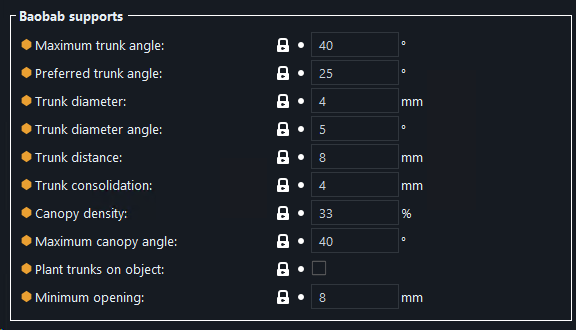
Maximum trunk angle
The furthest a trunk may lean from vertical when it has to avoid the model. Lower values keep trunks upright and stable. Higher values let them reach further around obstacles to find ground. Default is 40 degrees.
Preferred trunk angle
The lean a trunk takes when nothing is in its way, 25 degrees by default. This is the angle that governs how eagerly trunks converge on each other, so raising it makes them merge sooner.
Trunk diameter
The diameter of the thinnest trunks, 4mm by default. Trunks nearer the base come out thicker than this. Thicker trunks are sturdier and cost more material.
Trunk diameter angle
How quickly trunks thicken toward the bottom, in degrees. At 0 a trunk holds one diameter over its whole length. A few degrees of taper adds stability. Default is 5, capped at 15.
Trunk distance
How much interface area a single trunk is responsible for, 8mm by default. Seeds closer than this share a trunk, and each canopy reaches this far from its trunk to cover its share of the interface.
Trunk consolidation
How close a trunk may stand to a neighbor's canopy before it is dropped, 4mm by default. A trunk goes away when the interface it serves lies within this distance of another trunk's canopy and the support layer directly under the interface can bridge the difference. Higher values give fewer, larger trunks. Set it to 0 to build every trunk that serves any part of the interface.
Canopy density
Density of the Lightning infill inside the canopy, 33% by default. The infill is what carries the support interface across the canopy's mouth, so a higher value gives the interface more to land on at the cost of material and time.
Maximum canopy angle
How steeply the canopy tapers down onto its trunk. A higher angle reaches the trunk sooner and gives a shallower canopy. preFlight reduces this automatically where a layer would otherwise grow outward by more than half the support extrusion width, and where a leaning trunk has already spent part of that allowance. Default is 40 degrees.
Plant trunks on object
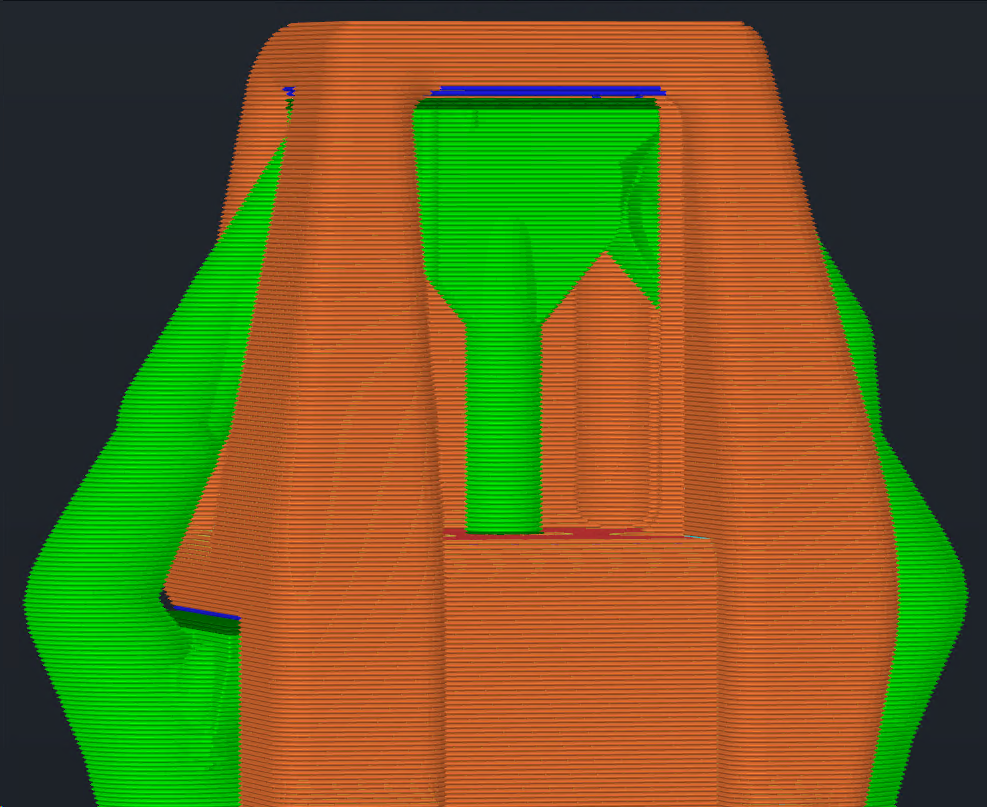
Off by default. When enabled, trunks may land on stable top surfaces of the object instead of descending all the way to the build plate. A surface qualifies when it is wide enough for the entire foot and has solid material backing it underneath.
The recessed pocket below shows what that saves. With the option off, the trunk under the pocket has nowhere to go but the plate, so it leaves the pocket and snakes down the face of the part to get there. With it on, the same canopy stands on the shelf directly beneath it.
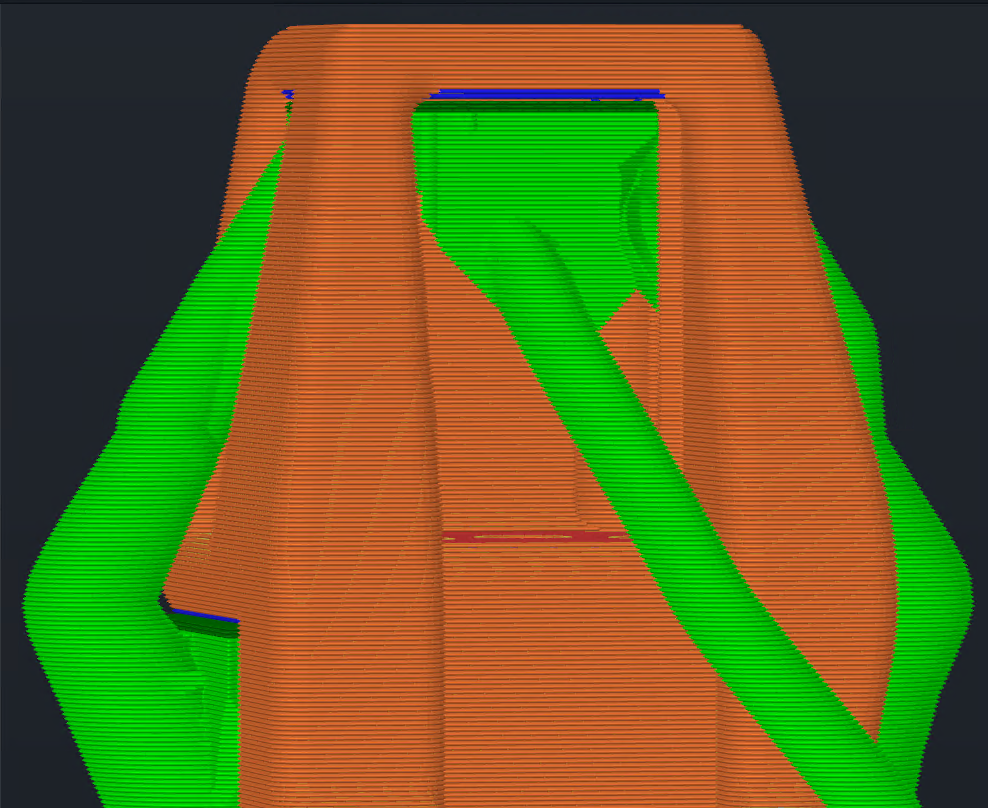
Disabled
Enabled
Minimum opening
Trunks and branches do not route through an opening in the object narrower than this, 8mm by default: a screw hole, a slot in a floor, anything they would technically fit through with the XY separation. The opening counts as solid while the tree looks for a way down, so the tree goes around it. Set it to 0 to allow them. Organic supports have the same setting.