Nip & Tuck Seams
A V-shaped channel at the seam that absorbs the start and stop blobs instead of leaving them on the surface.
Seam type, under Print Settings > Layers and perimeters > Advanced, selects the mode: Regular, Nip/Tuck, Nip, Tuck or Alt. Nip/Tuck. Every mode except Regular needs more than one perimeter and is not used in Spiral Vase mode.
Painted seams follow the center of the paint stroke, so a slightly wobbly stroke still produces a straight seam, in every seam mode. Notches span their full configured width on tapered walls, and the notch width can be set as low as 0.5x the external perimeter width.
Nip/Tuck
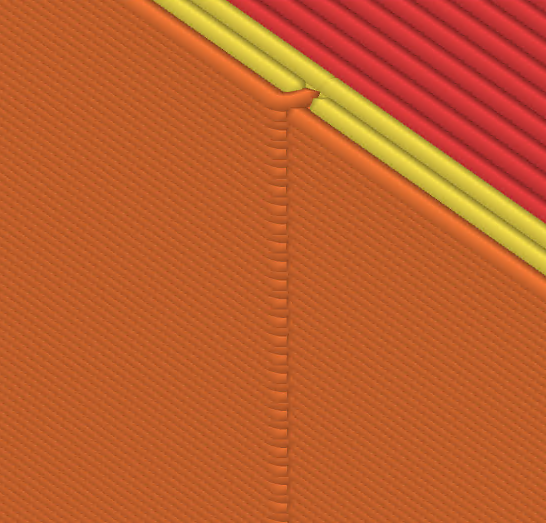
The combined Nip/Tuck creates a V-shaped channel that absorbs start/stop blobs from both ends of the perimeter loop.
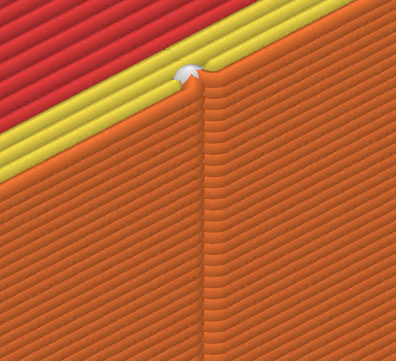
Front view
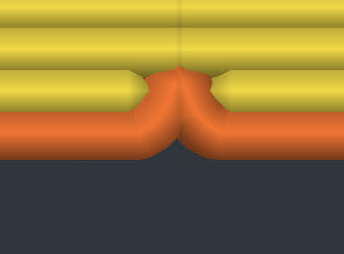
Top view
Nip
Nip conceals the start point.
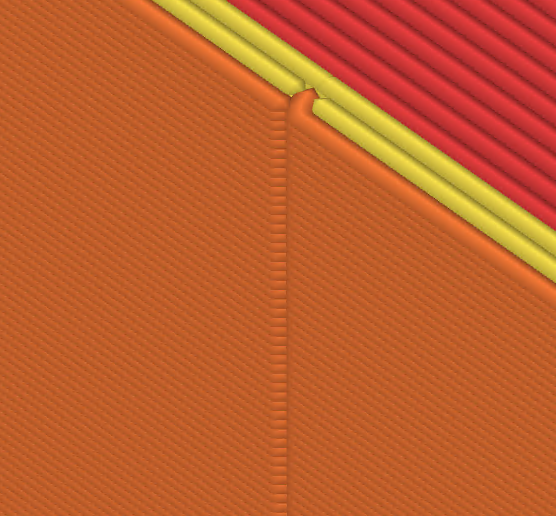
Tuck
Tuck conceals the end point.
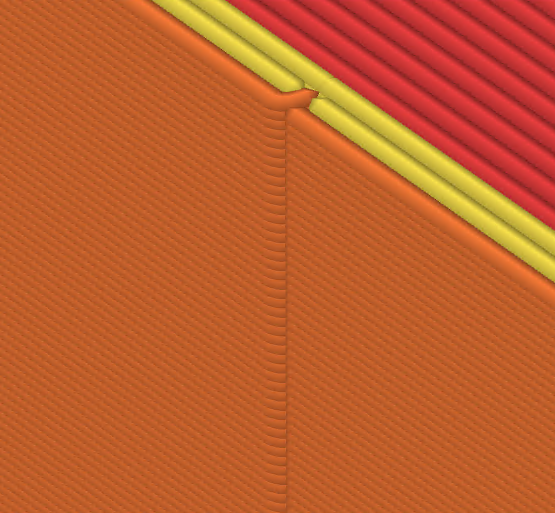
Alternating Nip/Tuck
Alt. Nip/Tuck alternates between Nip on even layers and Tuck on odd layers.
Settings
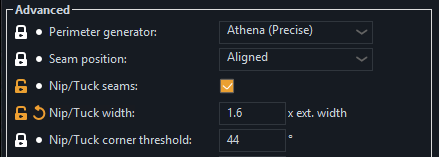
Seam notch width
Width of the V-shaped notch as a multiple of the external perimeter width. In Nip/Tuck mode this is the full notch across both sides of the seam. In Nip or Tuck mode only half of it is used, since only one side is shaped. The depth is calculated from perimeter spacing. Wider values are more forgiving of blobs but leave a larger depression. The default is 2.
Seam notch corner threshold
Seams on corners sharper than this angle are not notched, because a sharp corner hides the seam on its own. The default of 44° skips any corner of 44° or less. Set it to 0 to notch everywhere.