Sidebar (Re)Slicing
Background processing is dead. Sidebar processing replaces it. The Sidebar is now available inside the Preview, and any change you make there reslices in place. Prepare never slices on its own.
Dialing in a print used to be a loop of tab switches. Change a setting, click Slice Platter, wait, get kicked over to the Preview, look, switch back to change the next thing. Background processing was supposed to help, but it sliced every change everywhere, including while you were still arranging parts in Prepare. Worse, a change made while you were looking at the Preview cleared the toolpaths and dropped you back in Prepare to press Slice Platter again.
The replacement is simpler. The Sidebar now opens inside the Preview, so you can change presets, settings and per-object overrides without leaving the toolpaths. The Preview is where you have already asked for a slice, so a change made there means "show me the effect," and preFlight reslices in place. Prepare is where you arrange, so nothing slices there until you say so.
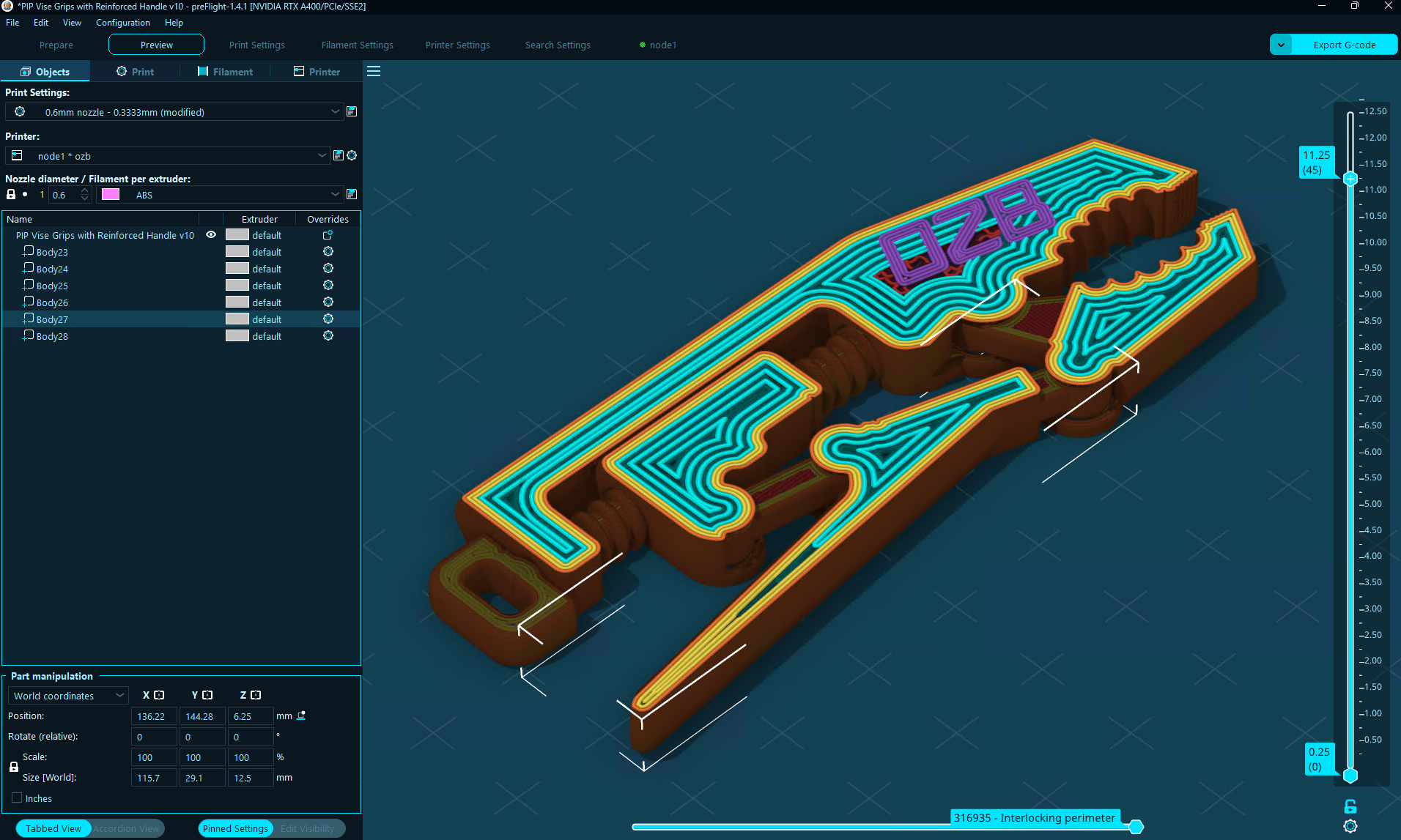
The Sidebar inside the Preview. Click the hamburger icon beside it to swap back to the Legend.
How It Works
Press Slice Platter once and you land in the Preview. Near the top, beside the Legend, there is a hamburger icon. Click it and the Legend swaps for the full Sidebar: the Objects list, Print, Filament and Printer tabs, all of it. Shift+Tab does the same thing, and preFlight remembers which one you left open.
With the Sidebar open in the Preview, every change reslices right there. Switch a preset, change a perimeter count, tick an override on one object, undo, redo. Objects can be selected in the Preview by clicking them, with the same selection box as in Prepare, so you can pick an object and open its overrides without leaving the toolpaths. A part or modifier is picked in the Objects list.
What Does Not Reslice
Changes made in Prepare never trigger a slice. Changes made from the main Settings tabs invalidate the results and return the button to Slice Platter, the way Prepare does. The reslice only fires for changes made in the Sidebar while it is open in the Preview, because that is the one place where you are clearly asking to see a result.
There is no preference for this. Background processing is gone from Preferences and its key is no longer read.
Fast (Re)Slicing
A reslice that reran the whole pipeline for every change would make this tedious. A settings change only reruns the steps it affects, so changing a seam or an ironing setting does not slice the mesh again. Many reslices finish in a fraction of the time a full slice takes. See Performance for the numbers.
With Overrides open in the same Sidebar, tuning one part is a matter of selecting it, ticking a setting and changing the value. That part's toolpaths update moments later.